
How to view your usage of seats
Available to the following roles in the Organization Plan:
- Organization Owner
- Team Admin
Definition
Your Organization Plan includes seats shared across the entire Organization. The quantity of seats is set in your Plan and Billing section. These can be increased or decreased as needed. You can quickly view seats in the Organization Manager Dashboard.
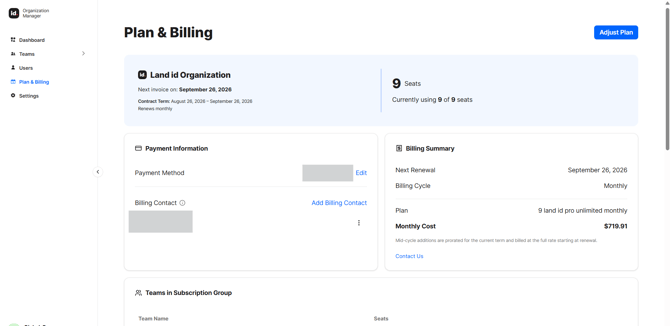
How Seats Work
A seat is what gives a person access to Land id. Seats are purchased annually and kept in a shared pool. When you assign a seat to someone, it comes out of the pool; when that seat is freed, it goes back.
-
A seat is in use when: a person is active, or has a pending invitation (the seat is held the moment you invite them).
-
A seat is freed when: you deactivate or remove a person, you revoke a pending invitation, or an invitation expires (after 7 days).
Anyone who’s been deactivated, expired invitations, and Billing Contacts (who aren’t on a team) do not occupy seats.
Owners and Team Admins can assign seats from the pool. Billing Contacts can see seat usage but don’t assign seats.
Tip: Because seats and activations are shared at the Organization Plan level, freeing one up anywhere makes it available everywhere.
Out of seats? You can’t invite or reactivate someone without an open seat. Add seats in Plan & Billing first, then continue.