
Overview of using Land id on CarPlay
Setup and get oriented with Land id on CarPlay
Pan and zoom your Land id Map on CarPlay
Find driving directions to a location
Find driving directions with a Land id Map open
Adjust your Land id CarPlay settings: Basemap, Boundaries and Owner Names
Available with any of the following subscriptions:
- All plans
Note: The navigation button is limited to Pro and Pro Unlimited subscriptions only.
Definition
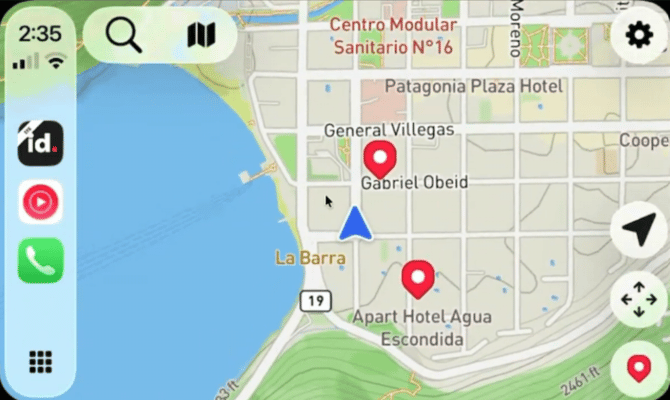
Apple CarPlay is a feature that allows you to connect your phone to the touchscreen display in compatible vehicles, and safely interact with your favorite apps as you drive. With Land id, you can see your location, view parcel ownership, and more while on the road.
Land id's CarPlay compatibility means you can place waypoints, find driving directions, and incorporate Land id into your daily commute. Research and visit properties without having to use your mobile phone.
related article: Navigating to properties using driving directions
Key Benefits
For Researching New Properties of Interest
- View property ownership and boundary lines while driving
- Place waypoints on the map with a single tap of a button
For Visiting Known Properties
- Find turn-by-turn directions to the property without leaving Land id
- Open your Land id Map and view it within your vehicle
Limitations
-
CarPlay is only available on iOS devices. Land id does not support Android Auto at this time.
- CarPlay requires an internet connection, and will not work with offline maps currently.
Overview of using Land id on CarPlay
Setup and Get Oriented with Land id on CarPlay